Scattered stocks,
one screen
A smart portfolio app that gathers holdings spread across multiple brokerage accounts so you can see your total assets and returns at a glance.
About the app
PocketStock is a smart portfolio app that brings holdings scattered across multiple brokerage accounts together in one place. Just enter the ticker, quantity held and average purchase price, and market value, return and profit/loss are calculated automatically. You can even get a technical-indicator-based read on the next trading day's price direction for reference.
Key features
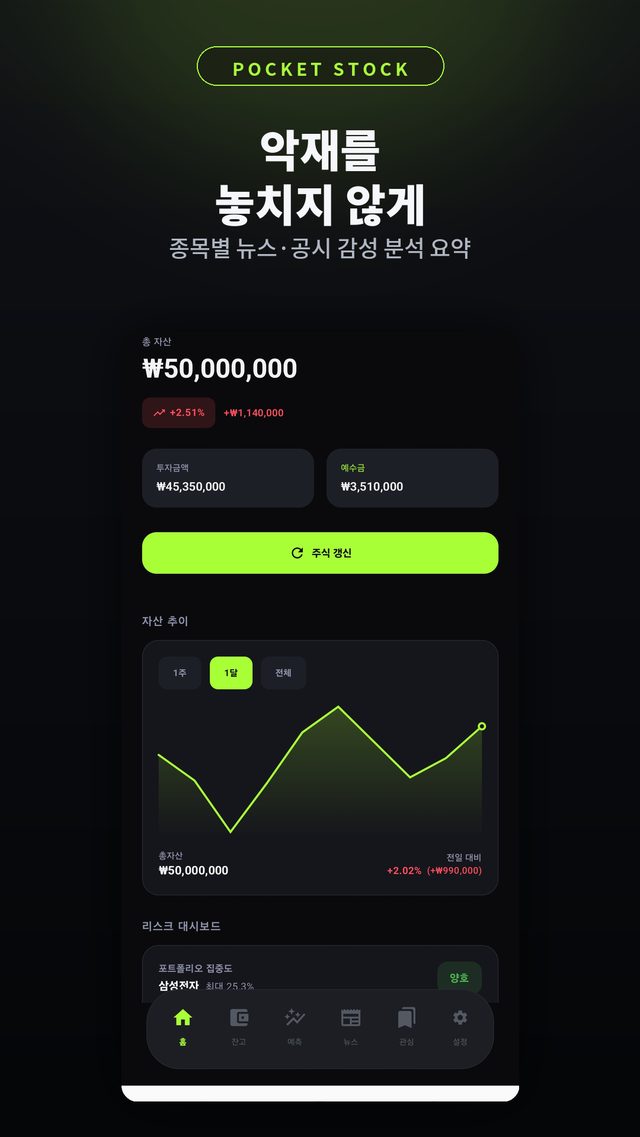
- Automatic portfolio return and P&L calculation, with total assets including cash balance
- Prices from Naver Finance and KRX — auto-refreshed hourly during market hours, plus KOSPI and KOSDAQ indexes
- Next-day price forecast from 5 indicators including RSI, MACD and Bollinger Bands, plus foreign and institutional flows (no KRX login required)
- Per-stock price alerts — every 5% rise and when a target price is hit
- Morning briefing — overnight news on your holdings and a summary of yesterday's must-know economic issues
- Asset trend chart and holdings treemap to diagnose concentration
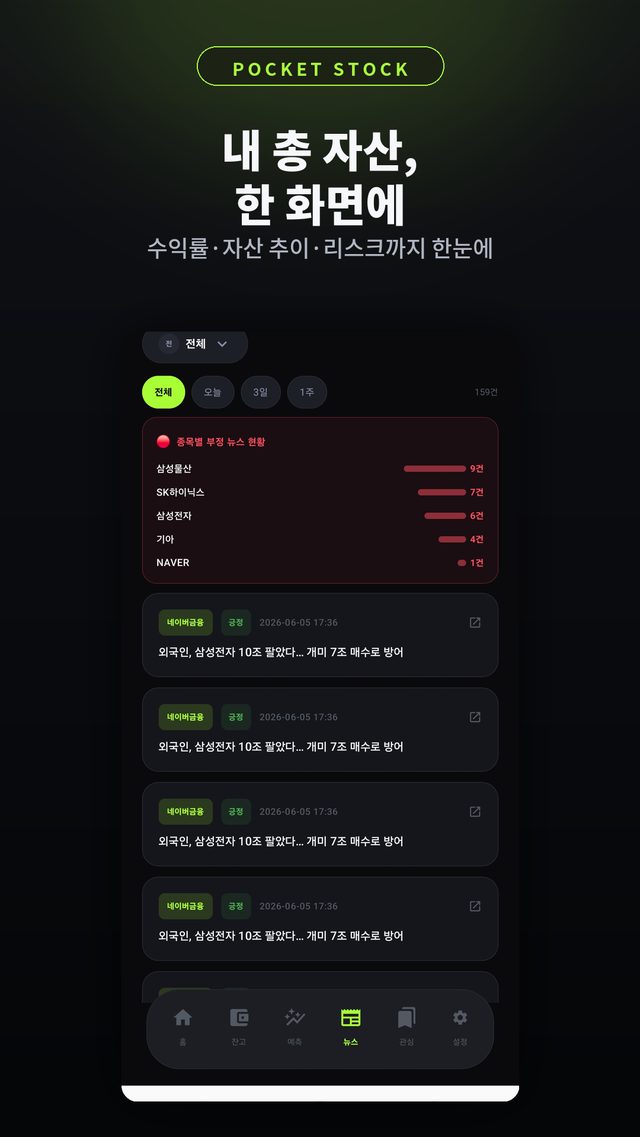
- Sentiment analysis of per-stock news and DART filings to spot negative issues fast
Latest update · Oct 3, 2026
- Per-stock price alerts — only for stocks you tap 🔔 on; alerts every 5% rise from when you subscribed and when the target price is hit
- Forecasts without a KRX account — now reflect foreign and institutional flows, with a data grade (Basic · Standard · Precise) shown in results
- Improved auto target prices — target at least +5%, stop-loss at least −3%
- Redesigned morning briefing — overnight news on your holdings and a summary of yesterday's key economic issues
- Intraday prices auto-refresh every hour
FAQ
Frequently asked questions
Do I need to link my brokerage accounts?
No account linking or sign-up needed. Just enter the ticker, quantity held and average purchase price, and market value, return and P&L are calculated automatically. Prices come from Naver Finance and KRX and refresh automatically every hour during market hours.
Can I see stocks held across different brokerages together?
Yes. Holdings scattered across accounts are gathered in one place so you can see your total assets and overall return on a single screen.
What is the price forecast based on?
It combines 5 technical indicators — RSI, MACD, Bollinger Bands, moving averages and volume — with foreign and institutional flows to suggest whether the next trading day looks up, neutral or down, along with a confidence level. Forecasts work without a KRX login; logging in adds short-selling indicators, and results show a data grade (Basic · Standard · Precise). Forecasts are for reference only, and investment decisions and their outcomes are the user's responsibility.
Will it notify me when a stock hits my price?
Yes. Only stocks where you tap the bell button on the stock card get alerts. You'll be notified every time the price rises 5% from when you subscribed, and when it reaches the target price. Automatic target prices are set at least +5%, and stop-loss prices at least −3%.
What's in the morning briefing?
Each morning it summarizes overnight news about your holdings and yesterday's must-know economic issues in one place.
Can I tell if my assets are concentrated in certain stocks?
Yes. The asset trend chart and holdings treemap help you diagnose how concentrated your portfolio is.
How can I check for bad news about my holdings?
Sentiment analysis of per-stock news and filings helps you spot negative issues quickly.
Does the asset information I enter leave my device?
No sign-up and no external data linking — the information you enter is managed only on your device.
More apps
Explore other apps
FamilyKeeper
Family location & safety
Yeojeong
Itinerary, spending, photos & diary
MeetingNote
Write on PDFs while recording
 Fridge Chef
Recipes from what’s in your fridge
 MyHomeCam
Your old phone becomes a home CCTV
 Life Toolkit
20 everyday tools in one app
 VISITED
A fog map cleared by walking
 Money Note
Budget filled in from bank alerts
 PenCut
A vertical video in 3 minutes
 Play Together
31 mini-games with family & friends
Fridge Chef
Recipes from what’s in your fridge
MyHomeCam
Your old phone becomes a home CCTV
Life Toolkit
20 everyday tools in one app
VISITED
A fog map cleared by walking
Money Note
Budget filled in from bank alerts
PenCut
A vertical video in 3 minutes
Play Together
31 mini-games with family & friends
Privacy
PocketStock requires no sign-up or external data linking. Everything you enter is stored securely on your device only.